
What calendars already do well
Outlook and Google Calendar help once the user has already moved into event creation. They are good at planning after the decision to create a meeting is made.
TimeBridge Insight reuses the Assist core and adds an availability-aware decision layer. It is for the moment when someone is still inside a message, still thinking, still proposing, and wants the product to help decide which time actually works.
Outlook and Google Calendar help once the user has already moved into event creation. They are good at planning after the decision to create a meeting is made.
Insight helps while the user is still in the conversation and has not decided yet. It is the layer that says: this is the best time for you before you even open the planning screen.
The product still starts from the sentence. The difference is that Insight can understand the user's own availability and use it to choose better times instead of only plausible timezone overlaps.
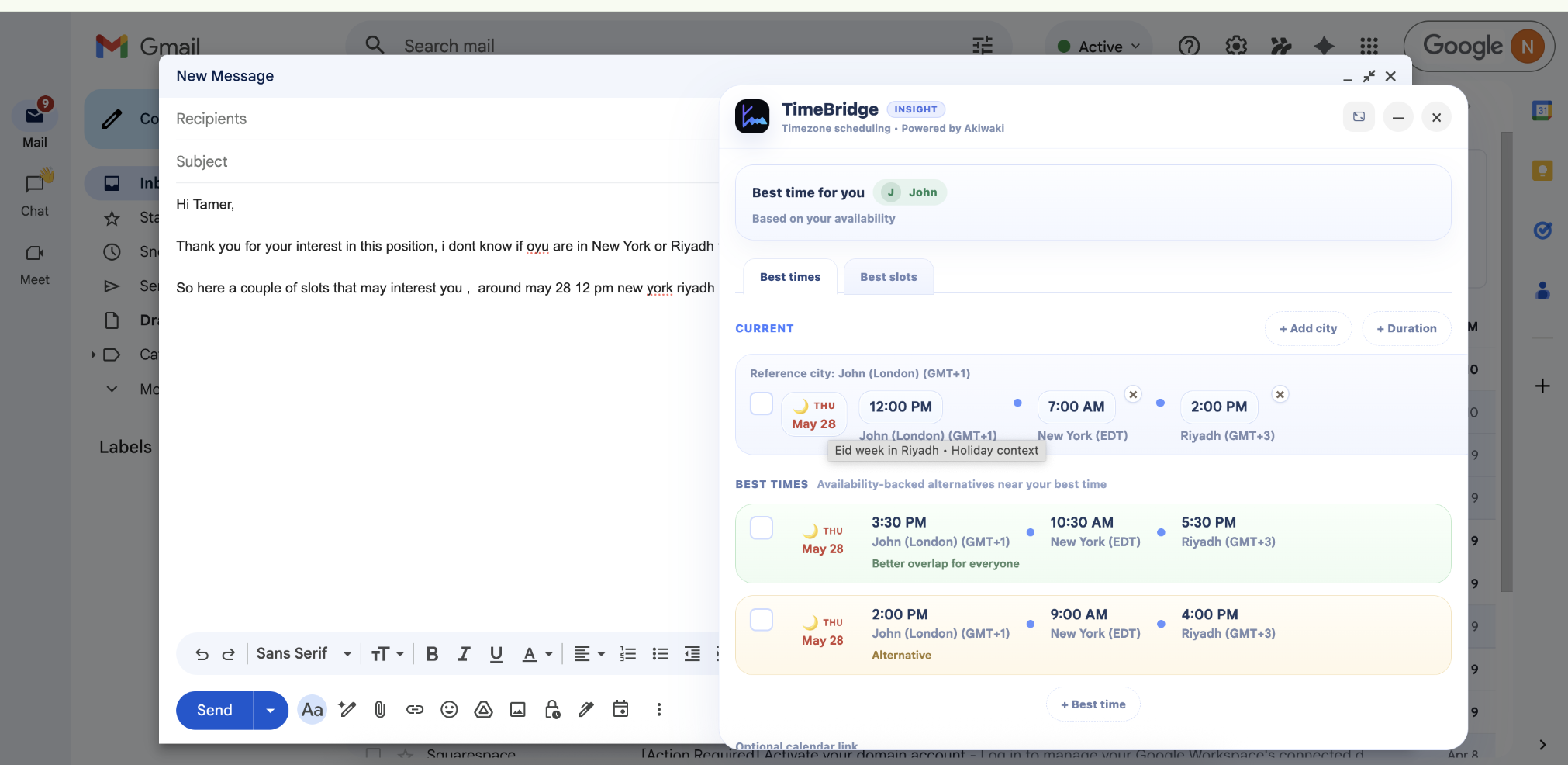
Insight keeps the Assist input model but can place the connected user's city first in the display so the reasoning is clearer when a proposed time conflicts with real availability.
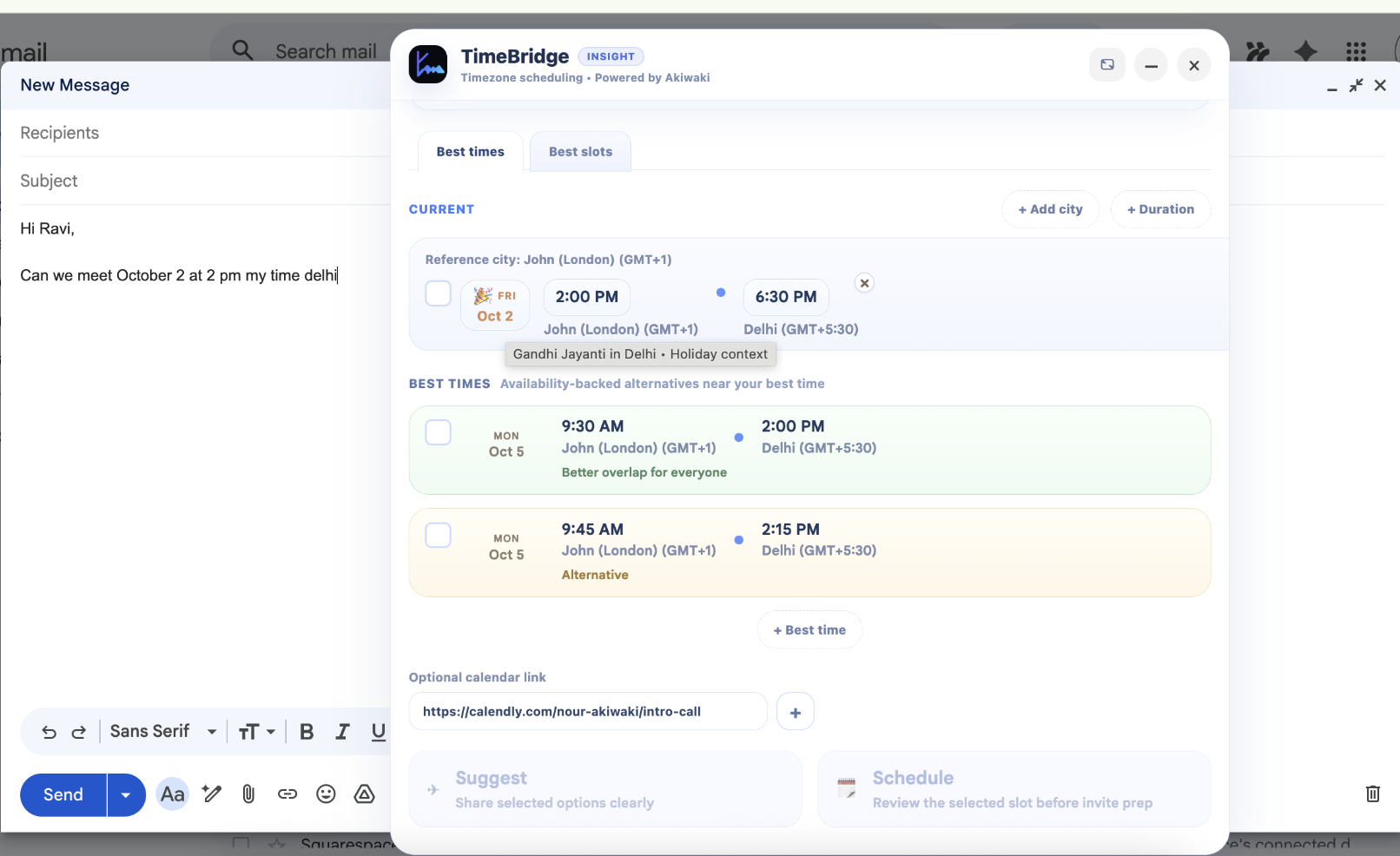
The first strong Insight value is simple: if the user gives cities but no hour, the popup can propose a genuinely good next meeting time instead of waiting for the calendar tool to do the work.
The goal is not to collect as much calendar data as possible. The goal is to request only the access needed to avoid bad suggestions and help the user choose a realistic time.
Read-only availability in a free/busy style so the product can avoid proposing times that collide with the connected user's schedule.
Event titles, descriptions, guest lists, attachments, and Gmail message content through Google are outside the intended privacy boundary.
Akiwaki defines the permission scope requested. Google then shows that request to the user and asks them to approve or reject it during the connection flow.
Google Calendar first. One connected calendar first. The single-calendar decision layer is the base that will later support broader provider coverage and multi-calendar logic.
The next milestone after the current preview work is deeper multi-calendar support for the same user context, followed later by Outlook and broader provider reach.