What Assist does now
Assist is designed to be useful before any account connection. It works inside the writing flow, understands scheduling intent, and prepares polished text the user can still review and edit.
TimeBridge Assist is the stable MVP layer of TimeBridge. It helps users compare cities, spot awkward timing, generate better options, and move toward a scheduling handoff without turning the message into a manual formatting exercise.
Assist is designed to be useful before any account connection. It works inside the writing flow, understands scheduling intent, and prepares polished text the user can still review and edit.
Assist is intentionally restrained in the beta phase. No automatic sending. No backend orchestration. No calendar auth. No reading of other people's calendars. The user remains in control of the final message and next step.
Assist is strongest when a user is drafting an email or message, trying to propose something clear, and does not want to lose the thread by bouncing between a timezone converter and a calendar.
Users type phrases like tomorrow, next Monday, 5 pm London, noon, midnight, 3ish, or a set of cities without needing rigid formatting.
Assist compares time zones, flags late or early tradeoffs, surfaces holiday pressure, and offers better times or best slots when the original idea is awkward.
Users can insert a single option, multiple options, or a calendar-link-ready message directly into the draft, then move toward a provider handoff when they choose.
The interaction stays lightweight at first, then expands only when the user needs more decision support or schedule formatting.
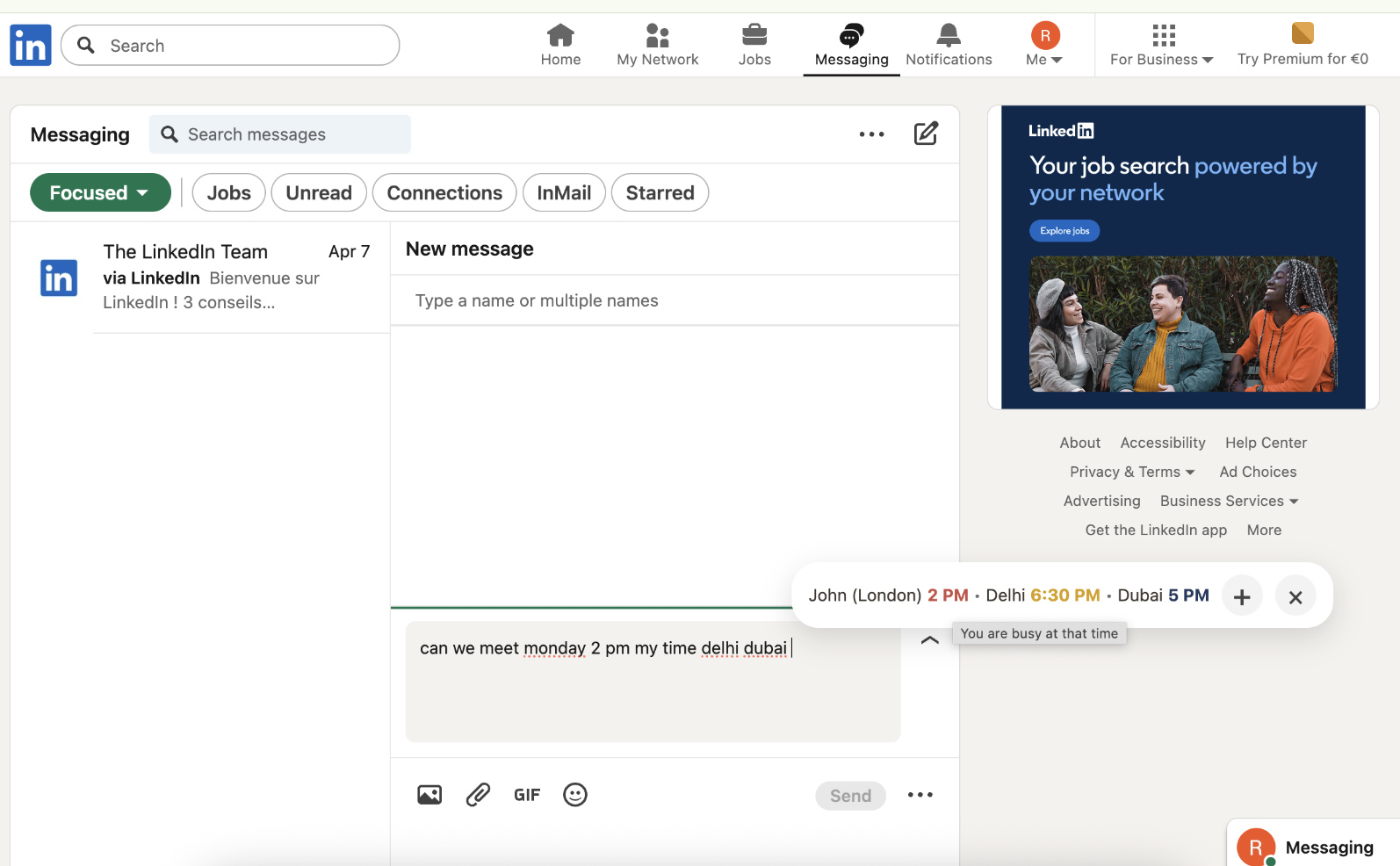
The first layer stays light: TimeBridge appears right inside the draft, reads the scheduling sentence, and starts helping before the user loses momentum.
Shows the product in a real outreach-style conversation surface.
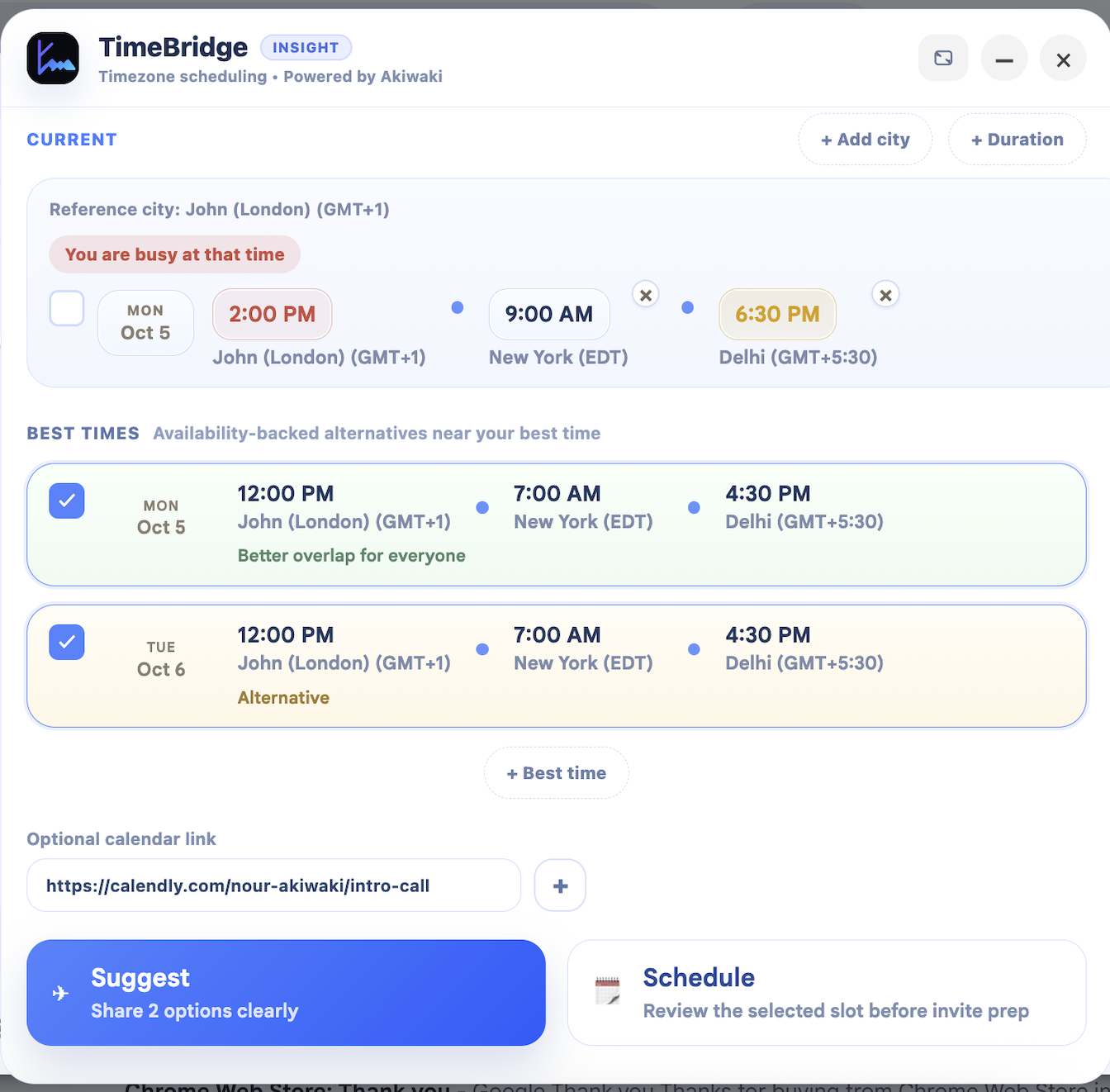
When one proposal is not enough, Assist expands into duration-aware options, cleaner alternatives, and ready-to-insert scheduling text that still keeps the user in control.
This is the calm “decision support” layer before any provider handoff.
Not every scheduling email needs a long list. Sometimes the right experience is one clear, timezone-aware proposal written cleanly from the start.
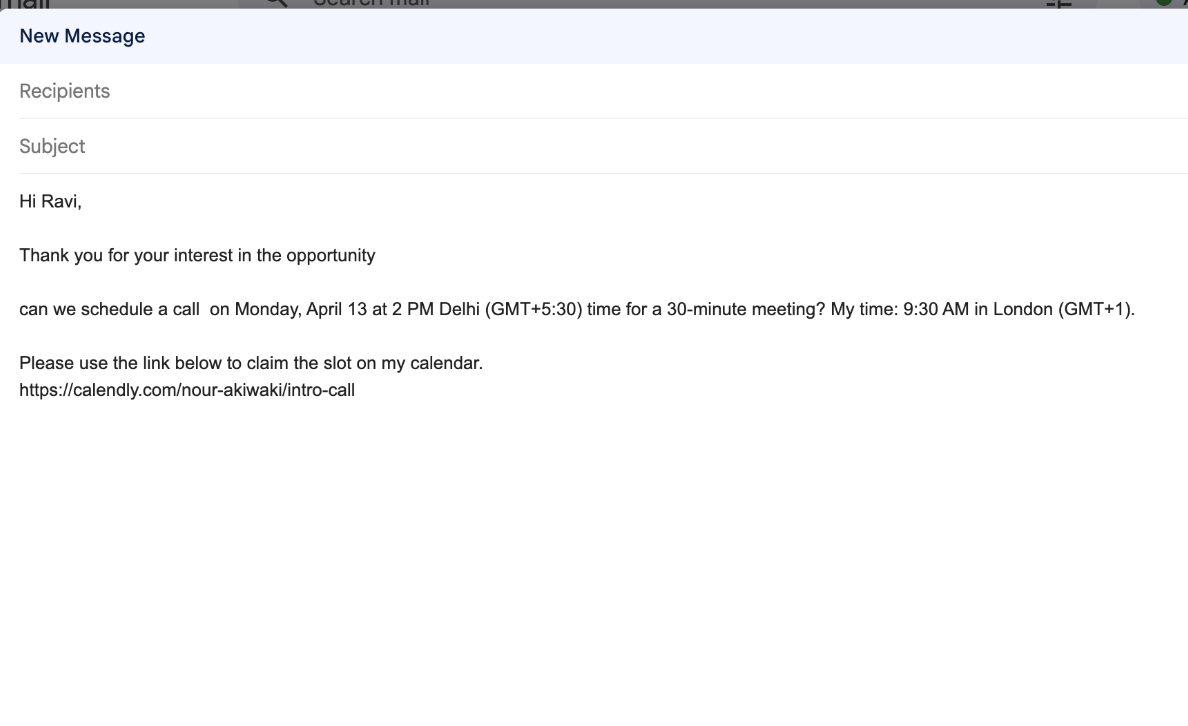
If the flow calls for a calendar link, Assist can prepare the wording cleanly instead of leaving the user to reformat the whole message manually.
This longer product capture shows the quality of the final draft: polished wording, timezone clarity, and a message that stays ready for calendar action without turning messy.
The strongest early fit is for people who write many timezone-sensitive messages and need to stay fast without sounding messy.
Outreach, interview coordination, manager loops, and cross-region availability often start in a message, not in a calendar event.
Investor calls, partner calls, global team syncs, and customer meetings benefit from a calmer decision layer right in the thread.
People who manage others' schedules need clarity, speed, and wording that is ready to send without extra cleanup.
TimeBridge Assist is the right public first step: helpful, privacy-safe, and easy to understand. It creates immediate value without asking for calendar connection or changing how people already work.